The program that runs the Special Education database is called FileMaker Pro. The print setting for FileMaker are separate from the print settings for most other programs on your computer, and changing the default printer in your Control Panel will not affect your printer settings for FileMaker.
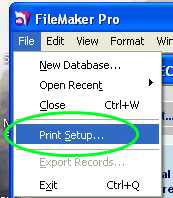
To change your printer in FileMaker, open the Special Ed database and then select File –> Print Setup:
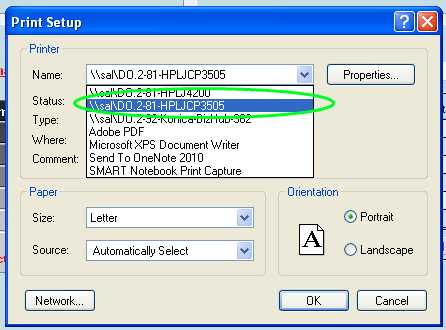
On the next window use the drop down list to select the printer that you would like to use and click OK.