Testing accommodations for special ed students are now available in PowerTeacher for all teachers (gen ed and sped) to view. Access the Accommodations screen by using the “Select Screen” drop-down menu. You will be able to view this page for any student who is enrolled in one or more class that you teach.
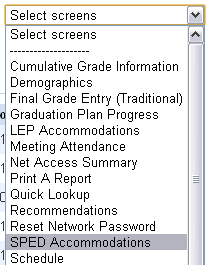
Sped accommodations are also available in PowerSchool for building admins, counselors/secretaries, school psychs and district office staff. They can be viewed by going to Student Screens –> Custom Screens –> Sped Accommodations.