Forget how to login to the sped database over the summer? Here’s a refresher:
1. In the box for account name, replace your e-number with your first initial and last name (ex: jdoe). This will be your account name each time you login to the SpEd database. Your account name is not case sensitive.
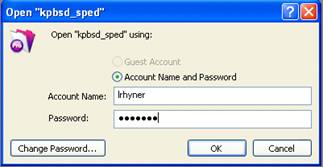
2. Your password will be the same as last year. If you need a reminder, call the Pupil Services department and one of us can look it up for you.
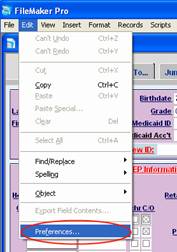
3. Once you are logged in, you can change your preferences to avoid having to re-enter your account name each time you open the database. In the “Edit” menu, choose “Preferences.”
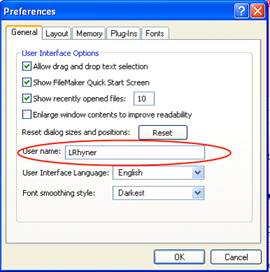
4. Enter your user name in the box and click “OK.”